
Mobizen
Video Editor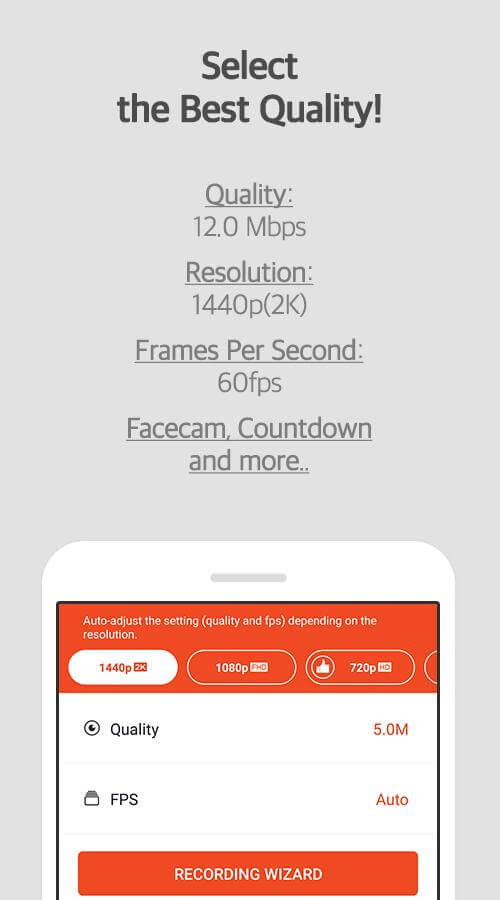

Mobizen is a dedicated screen‑recording app for Android devices. It lets you capture gameplay, tutorials, or any on‑screen activity without needing a rooted phone.
This page provides the latest APK details, core features, installation guide, and practical advice on safety and troubleshooting.
Quick Information
| App/Game Name | Mobizen |
| Latest Version | 3.11.2.5 |
| Developer | Not listed |
| Category | Apps / Video Editor |
| App Size | 98.42 MB |
| Package Name | com.rsupport.mvagent |
| Last Updated | 1 October 2026 |
What Is Mobizen?
Mobizen records the device’s display in high definition, supports both front‑ and rear‑camera overlay, and offers basic editing tools such as trimming and adding background music. The app is aimed at casual users who want a quick way to create video tutorials, share gameplay clips, or keep a visual log of app usage.
Key features include:
- HD screen capture (up to 1080p on supported devices)
- Option to record internal audio or microphone input
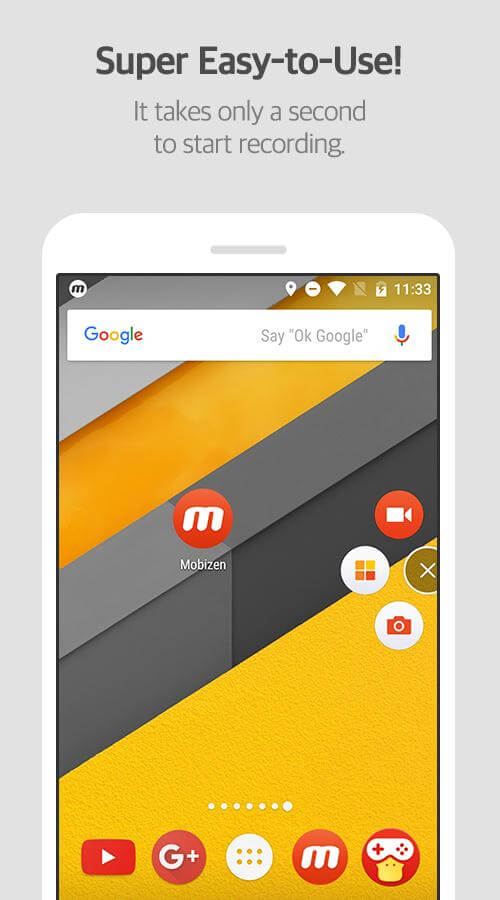
- Floating control widget for easy start/stop while using other apps
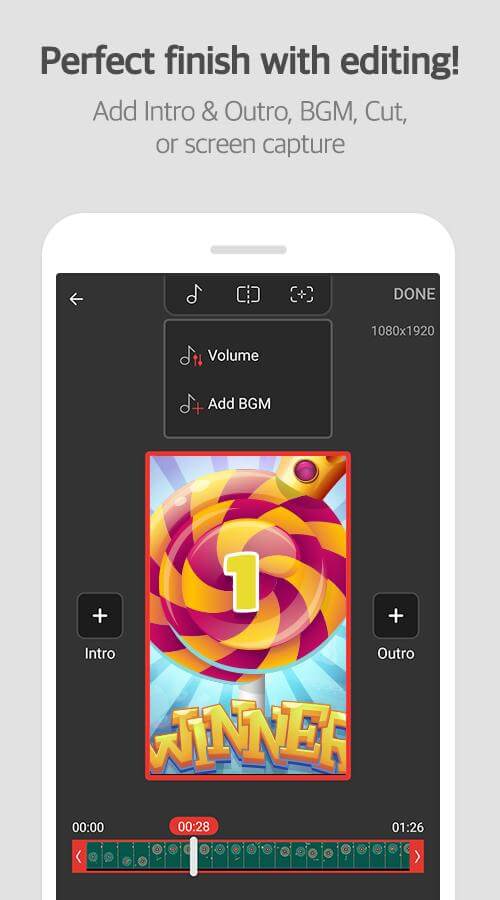
- Simple trim and merge editor built into the app
- Direct sharing to YouTube, Facebook, and other platforms
Limitations: the free version may display ads, some advanced editing tools are locked behind a premium subscription, and very old Android versions may not support all recording modes.
Compatibility
| Android Version | ✓ Verified — 4.4 and up |
| Architecture (ARM64 / 32-bit) | Not Verified |
| Internet Connection | ✓ Verified — May be required for ads, updates, or login |
| Storage Needed | Not Verified |
| OBB/Data Files | Not Verified |
| Root Required | Not Verified |
How to Install
- Download the Mobizen APK file to your Android device.
- Open Settings → Security (or Privacy → Install unknown apps) and enable installation from the source you used (browser, file manager, etc.).
- Locate the downloaded APK in your file manager and tap it.
- Follow the on‑screen prompts to complete the installation.
- Once installed, open Mobizen, grant the required permissions (storage, microphone, overlay), and you’re ready to record.
Troubleshooting
- App not installed: Ensure you have allowed installations from unknown sources and that the APK matches your device’s architecture (ARM vs. x86).
- Crashes on startup: Clear app data via Settings → Apps → Mobizen → Storage, then restart the app.
- Recording does not start: Verify that the overlay permission is granted and that the screen‑recording service is not blocked by battery‑optimization settings.
- No audio captured: Check that microphone and/or internal audio permissions are enabled; some devices require a separate “Record audio” toggle in the app.
- Export or share fails: Ensure sufficient free storage and that the destination folder is writable.
Safety & Security
Mobizen is a third‑party app, so download the APK only from a reputable source. Review the permission list during installation; the app should request access to storage, microphone, and overlay display. Avoid entering personal login details unless you are certain the build is authentic. Keep in mind that future updates from the official developer may not apply to a manually installed APK, which could affect compatibility or security.
How Mobizen Compares
| Feature | Mobizen | AZ Screen Recorder | DU Recorder |
|---|---|---|---|
| Price / Free model | Free with ads; premium subscription for ad‑free & extra tools | Free with ads; optional in‑app purchases | Free with ads; premium unlock available |
| Platform availability | Android only | Android only | Android only |
| Standout feature | Floating widget + built‑in trim editor | High‑frame‑rate recording & no‑root support | Integrated video editor with collage tools |
| Best for | Casual creators who want quick edits | Gamers needing smooth, high‑fps capture | Users who want extensive post‑recording editing |
Alternatives
- AZ Screen Recorder – Known for stable high‑fps capture and a minimal‑ads experience.
- DU Recorder – Offers a richer set of editing tools, including video merging and adding subtitles.
- Google Play Games – Built‑in screen recording for gameplay, limited to games launched through the app.
- Screen Recorder – No Ads (by Kimcy929) – Simple interface with no advertisements, suitable for quick recordings.
- Rec. (Screen Recorder) – Lightweight recorder with basic trimming and sharing options.
Final Verdict
Mobizen provides a solid balance of ease‑of‑use and on‑device editing, making it a good fit for users who need quick screen captures without extra software. The free version includes ads and some premium features are locked, but the core recording functions work well on most modern Android phones. Before installing, verify the APK source, grant only necessary permissions, and ensure your device meets the minimum Android version for stable performance.
Frequently Asked Questions
Download the APK only from a trusted source, check the permission list, and avoid entering sensitive data unless you are sure the build is authentic.
Mobizen supports Android 6.0 and above; it runs on Android 12 and newer, though some features may be limited by device‑specific restrictions.
Yes, Mobizen can capture internal audio on devices that allow it, but you may need to enable the appropriate permission in the app settings.
No, Mobizen works on non‑rooted devices; it uses the standard Android screen‑recording APIs.
Make sure installation from unknown sources is enabled, verify the APK matches your device’s architecture, and clear any partially installed copies before retrying.
Recording length is limited by available storage and the device’s maximum file size; there is no hard time limit imposed by the app.
Mobizen includes a basic editor that lets you trim clips, add background music, and merge recordings without leaving the app.
If you already have the Play Store version, installing the APK will replace it; you can later reinstall the official version from the Play Store if needed.